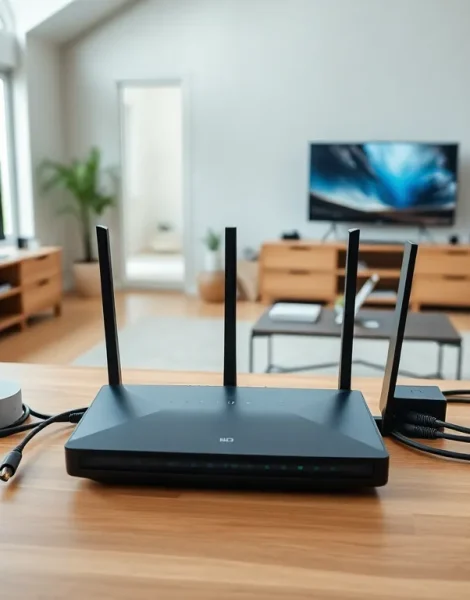
Best home networking starts with understanding what you actually need. A slow Wi-Fi connection or dead zones in your house can frustrate anyone. The good news? Building a reliable home network isn’t as complicated as it seems.
This guide covers everything from choosing the right equipment to avoiding common setup mistakes. Whether someone streams 4K video, works from home, or just wants consistent internet throughout the house, the right network setup makes all the difference. Let’s break down how to create a home network that actually works.
Table of Contents
ToggleKey Takeaways
- The best home networking setup starts with assessing your household’s specific needs, including device count, internet usage patterns, and home layout.
- Wi-Fi 6 routers and mesh systems provide the most reliable coverage for modern homes with multiple connected devices.
- Combine wired Ethernet connections for stationary devices like gaming PCs with wireless for mobile devices to optimize network performance.
- Place your router in a central, elevated location away from walls and interference sources like microwaves for maximum coverage.
- Regularly update router firmware, choose less congested Wi-Fi channels, and enable Quality of Service (QoS) settings to maintain peak performance.
- Avoid common mistakes like using outdated equipment, neglecting security settings, and placing routers in corners that waste signal coverage.
Understanding Your Home Networking Needs
Before buying any equipment, people should assess their specific requirements. A household with two people who browse social media has very different needs than a family of five with multiple gaming consoles and smart home devices.
Start by counting the devices that connect to the internet. Most households underestimate this number. Think about smartphones, laptops, tablets, smart TVs, gaming systems, security cameras, smart thermostats, and voice assistants. The average American home now has over 20 connected devices.
Next, consider internet usage patterns. Video streaming services like Netflix and YouTube require consistent bandwidth. Online gaming demands low latency. Video calls need stable upload speeds. Someone working from home with large file transfers has different priorities than someone who mostly checks email.
The size and layout of the home matters too. A 1,200-square-foot apartment can usually get by with a single router. A 3,000-square-foot house with multiple floors will likely need additional coverage solutions. Walls, especially those made of concrete or brick, block Wi-Fi signals and create dead zones.
Understanding these factors helps determine the best home networking approach for each situation.
Essential Home Networking Equipment
Routers and Mesh Systems
The router serves as the brain of any home network. It directs traffic between devices and the internet. Budget routers work fine for basic browsing, but demanding households benefit from mid-range or high-end options.
Wi-Fi 6 (802.11ax) routers offer the best home networking performance for most users in 2024 and 2025. They handle multiple device connections more efficiently than older standards. Wi-Fi 6E routers add a 6GHz band for even less interference, though fewer devices currently support it.
Mesh systems solve coverage problems in larger homes. Instead of one powerful router, mesh networks use multiple access points that work together. Brands like Eero, Google Nest, and TP-Link Deco offer reliable options at various price points. A three-pack mesh system typically covers homes up to 5,000 square feet.
For best home networking results, place the main router in a central location, elevated off the floor. Avoid putting it in closets, behind furniture, or near microwaves and cordless phones that cause interference.
Wired vs. Wireless Connections
Wireless connections offer convenience. Wired connections offer reliability. The best home networking setups often use both.
Ethernet cables deliver faster speeds with virtually no interference. Gaming PCs, streaming devices, and home office computers benefit most from wired connections. Cat6 cables support speeds up to 10 Gbps over short distances and cost only slightly more than Cat5e.
Wireless works well for smartphones, laptops, and tablets that move around the house. It’s also the only option for most smart home devices.
Powerline adapters offer a middle ground. They send internet signals through existing electrical wiring. Performance varies based on the home’s electrical system, but modern adapters can achieve speeds above 1 Gbps.
MoCA (Multimedia over Coax Alliance) adapters use coaxial cable lines to extend wired connections. They often outperform powerline adapters and work well in homes already wired for cable TV.
Tips for Optimizing Your Home Network Performance
A few adjustments can dramatically improve any home network. These tips apply whether someone has basic equipment or premium gear.
Update router firmware regularly. Manufacturers release updates that fix bugs, patch security holes, and sometimes improve performance. Many modern routers can update automatically, but it’s worth checking occasionally.
Choose the right Wi-Fi channel. In crowded neighborhoods, multiple networks compete for the same channels. Most routers default to automatic channel selection, which usually works. But manual selection of less congested channels can help. Apps like Wi-Fi Analyzer show which channels nearby networks use.
Separate the 2.4GHz and 5GHz bands. The 2.4GHz band travels farther but offers slower speeds. The 5GHz band provides faster speeds over shorter distances. Giving each band a different network name lets users choose based on their location and needs.
Enable Quality of Service (QoS) settings. QoS prioritizes traffic from specific devices or applications. Someone can ensure video calls get bandwidth priority over background downloads. This feature helps maintain best home networking performance during high-usage periods.
Reboot the router periodically. It sounds simple, but restarting the router once a month clears cached data and can resolve slowdowns. Some routers allow scheduled automatic reboots during low-usage hours.
Secure the network properly. Use WPA3 encryption if devices support it, or WPA2 at minimum. Create a strong password that includes letters, numbers, and symbols. Consider setting up a separate guest network for visitors.
Common Home Networking Mistakes to Avoid
Even people with good intentions make mistakes when setting up home networks. Avoiding these errors saves time and frustration.
Placing the router in a corner is one of the most frequent mistakes. Routers broadcast signals in all directions. A corner location wastes coverage outside the house. Central placement provides the best home networking coverage throughout the living space.
Ignoring ISP equipment limitations causes problems too. The modem-router combo units that internet providers supply often underperform compared to standalone equipment. Renting that equipment also costs more over time than buying quality gear outright.
Using outdated equipment limits network potential. A Wi-Fi 4 router from 2010 can’t keep up with modern demands. If a router is more than five years old, upgrading makes sense.
Neglecting network security invites trouble. Default passwords, disabled firewalls, and outdated firmware create vulnerabilities. Hackers scan for unsecured networks constantly.
Overcomplicating the setup wastes resources. Not every home needs enterprise-grade equipment. Matching equipment to actual needs delivers better value than buying the most expensive option available.
Forgetting about future needs leads to repeated upgrades. Consider upcoming changes like additional family members, new smart devices, or faster internet plans. Buying slightly better equipment now often costs less than upgrading again in two years.