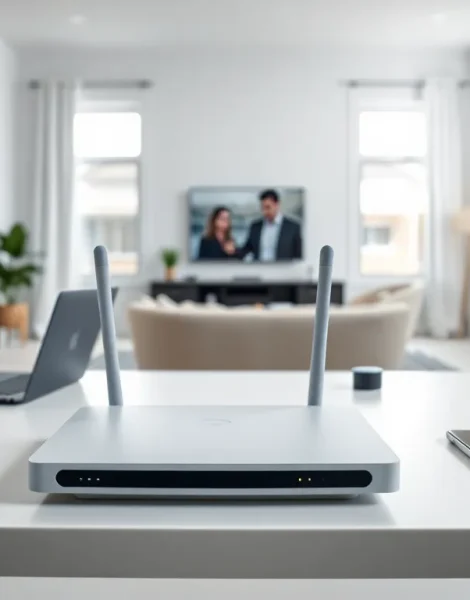
Home networking for beginners doesn’t have to feel overwhelming. A home network connects all devices in a household, computers, phones, smart TVs, and more, so they can share internet access and communicate with each other. Whether someone wants to stream movies in the living room, work from a home office, or set up smart home devices, a reliable home network makes it possible.
This guide breaks down the basics of home networking for beginners. It covers what a home network is, the equipment needed, how to set one up, and how to keep it secure. By the end, anyone can build a functional home network with confidence.
Table of Contents
ToggleKey Takeaways
- Home networking for beginners starts with understanding that a home network connects all your devices—computers, phones, smart TVs—to share internet access and communicate.
- Essential equipment includes a modem (connects to your ISP), a router (distributes internet to devices), and optionally Ethernet cables or mesh systems for better coverage.
- Setting up a home network takes about 30 minutes: connect your modem, link it to your router, configure Wi-Fi settings, and connect your devices.
- Always change default router credentials, use WPA3 or WPA2 encryption, and update firmware regularly to keep your network secure.
- Create a guest network to isolate visitor devices from your personal computers and smart home gadgets.
- Home networking for beginners becomes manageable once you master the basics—start simple and upgrade to mesh systems as your needs grow.
What Is a Home Network and Why You Need One
A home network is a system that connects multiple devices within a household to each other and to the internet. This network allows devices like laptops, smartphones, tablets, gaming consoles, and smart home gadgets to share data and resources.
Think of it like plumbing for information. Instead of water flowing through pipes, data flows between devices. A home network lets someone print a document from their laptop to a printer in another room. It enables streaming Netflix on a smart TV while someone else browses the web on their phone.
Here’s why home networking for beginners matters:
- Internet access for all devices: Every connected device can access the internet without separate connections.
- File sharing: Users can share photos, videos, and documents between computers without USB drives or email.
- Smart home integration: Thermostats, security cameras, and voice assistants require a network to function.
- Entertainment: Streaming services, online gaming, and video calls all depend on a stable home network.
Most households today have 10 or more connected devices. Without a proper home network, managing these devices becomes chaotic. A well-designed home network keeps everything running smoothly and efficiently.
Essential Equipment for Your Home Network
Setting up a home network requires a few key pieces of equipment. Understanding what each component does helps beginners make smart purchasing decisions.
Modem
The modem connects the home to the internet service provider (ISP). It translates the signal from the ISP into data that devices can use. Most ISPs provide a modem, but homeowners can purchase their own for better performance or to avoid rental fees.
Router
The router distributes the internet connection to all devices in the home. It creates the actual home network. Routers come in wired and wireless versions, most people choose wireless routers for convenience. The router assigns IP addresses to each device and manages traffic between them.
Modem-Router Combo
Some devices combine both functions into one unit. These combo devices save space and simplify setup. They work well for smaller homes with fewer devices.
Ethernet Cables
For devices that need the fastest, most stable connection, Ethernet cables provide a direct wired link to the router. Desktop computers, gaming consoles, and smart TVs often benefit from wired connections.
Wi-Fi Extenders or Mesh Systems
Larger homes may have dead zones where the Wi-Fi signal doesn’t reach. Wi-Fi extenders boost the signal to cover more area. Mesh systems use multiple units placed throughout the home to create seamless coverage.
For home networking for beginners, starting with a quality modem and router covers most needs. Upgrades like mesh systems can come later as requirements grow.
Setting Up Your First Home Network Step by Step
Setting up a home network takes about 30 minutes for most people. Follow these steps to get started.
Step 1: Connect the Modem
Plug the modem into the coaxial cable or phone line (depending on the ISP type). Connect the modem to a power outlet. Wait 2-3 minutes for it to fully boot up, the lights should stabilize.
Step 2: Connect the Router
Use an Ethernet cable to connect the modem to the router’s WAN or Internet port. Plug the router into power. Again, wait a few minutes for it to initialize.
Step 3: Access Router Settings
Open a web browser on a computer or phone. Type the router’s IP address into the address bar (commonly 192.168.0.1 or 192.168.1.1). The router’s manual lists the exact address. Log in using the default username and password printed on the router.
Step 4: Configure Wi-Fi Settings
Create a network name (SSID) that’s easy to identify. Choose a strong password, at least 12 characters with letters, numbers, and symbols. Select WPA3 or WPA2 security encryption.
Step 5: Connect Devices
On each device, open Wi-Fi settings and find the new network name. Enter the password to connect. Test the connection by loading a website or streaming a video.
Home networking for beginners becomes straightforward once the basic setup is complete. Most routers also have apps that simplify management from a smartphone.
Tips for Securing Your Home Network
A secure home network protects personal data and prevents unauthorized access. Hackers target home networks to steal information or use bandwidth for illegal activities. These security practices keep a home network safe.
Change Default Credentials
Routers ship with generic usernames and passwords like “admin” and “password.” Change these immediately. Attackers know default credentials and can access unsecured routers within seconds.
Use Strong Encryption
WPA3 is the current gold standard for Wi-Fi encryption. If the router doesn’t support WPA3, use WPA2. Never use WEP, it’s outdated and easily cracked.
Update Firmware Regularly
Router manufacturers release firmware updates that fix security vulnerabilities. Check for updates every few months or enable automatic updates if available.
Create a Guest Network
Set up a separate network for visitors. This keeps guest devices isolated from personal computers and smart home devices. Most routers include a guest network feature in their settings.
Disable Remote Management
Unless there’s a specific need, turn off remote management features. This prevents anyone outside the home from accessing router settings.
Monitor Connected Devices
Periodically check which devices are connected to the home network. If an unfamiliar device appears, change the Wi-Fi password immediately.
Home networking for beginners includes understanding these security basics. A few simple steps dramatically reduce the risk of network intrusion.